
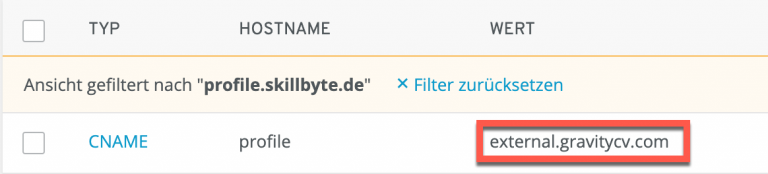
Add an external CName entry at your domain provider. This must be set as destination/value:
external.gravitycv.com
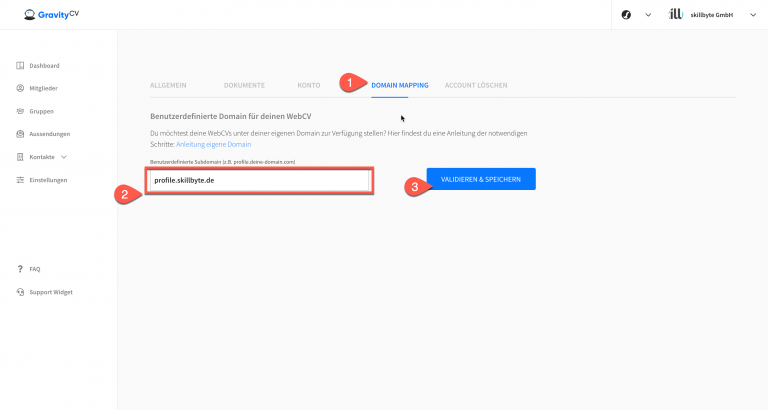
After that, you need to make the following settings in GravityCV. First, go to the account settings:

(1) Click on the Domain Mapping tab (2). In the input field, enter the desired external subdomain (3). Click on the "Validate and Save" button.
If the domain is already active in the DNS, you are already done and can now use your desired subdomain for GravityCV profiles.
If the domain is not active yet, just wait a few minutes and click the button again. Please note that DNS propagation can take up to 48 hours. Usually it is much faster.
